
Metadata Search
Search your audio library using an extensive range of file metadata — filter by filenames, tags, standard track properties, and comprehensive Universal Category System (UCS) data using powerful search commands.
Using Commands
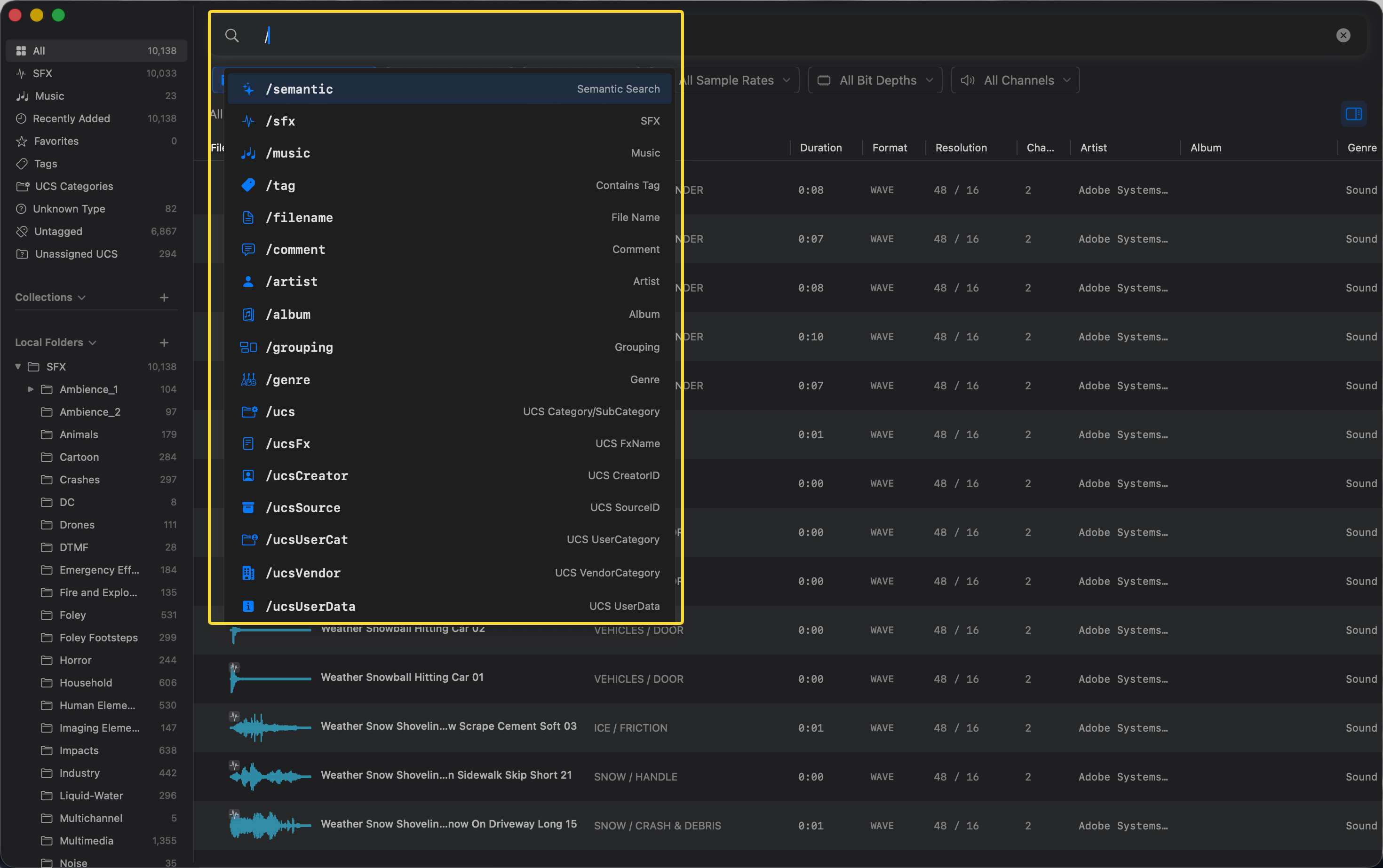
Curlo features a powerful command-based search system. Simply type / in the search bar to open the command menu and select a filter.
- Click the search bar or press
Cmd+Fto focus it. - Type
/to bring up the list of available commands. - Select a command (e.g.,
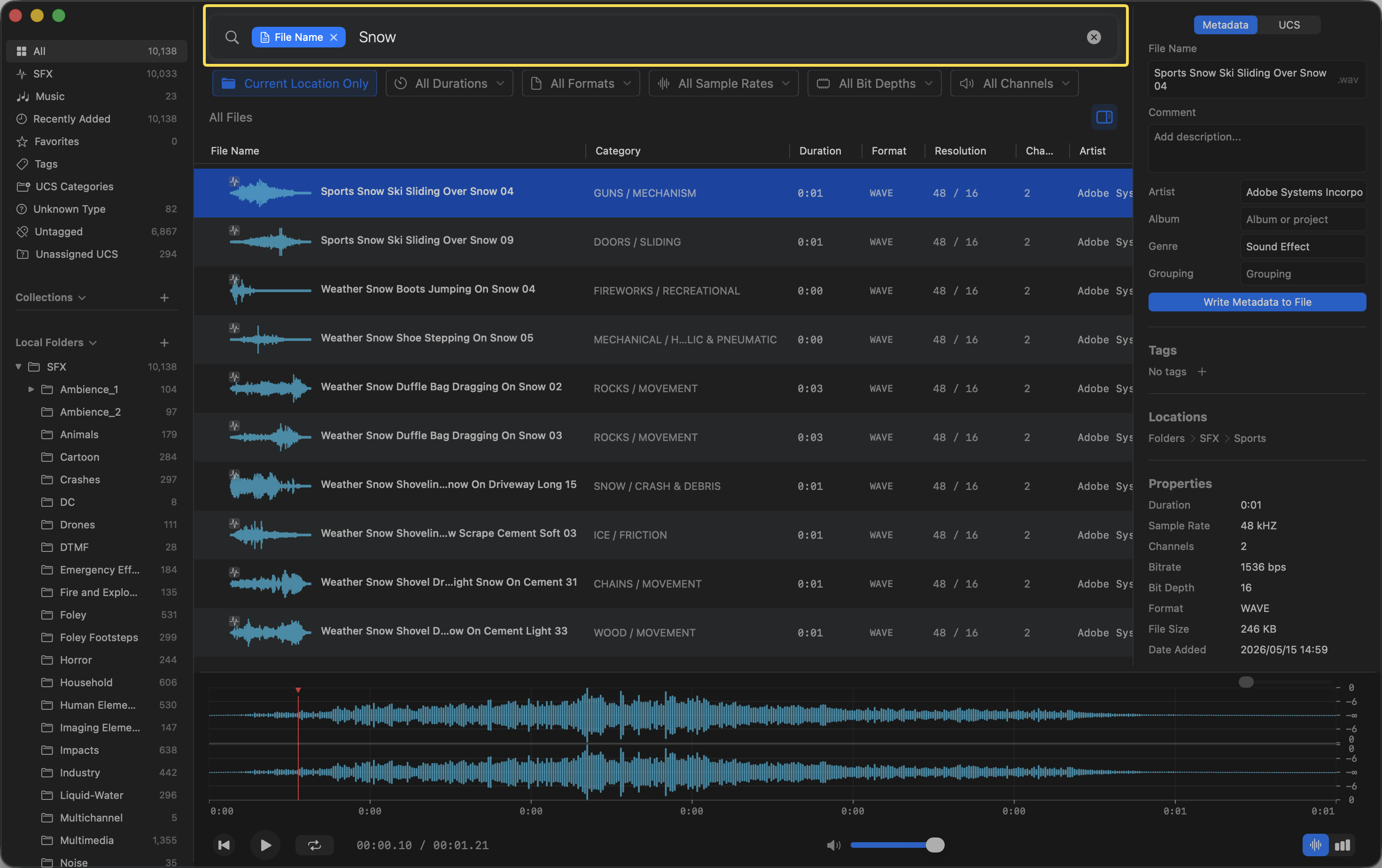
/filename,/tag,/ucs) using your mouse or keyboard arrows. - Enter your search term after the command chip.
AND and OR Search Modes
Starting with Curlo 1.2.0, Metadata Search offers optional AND and OR modes for searches with multiple keywords:
- AND mode joins all keywords with
AND, so results must match every keyword. - OR mode joins all keywords with
OR, so results only need to match one keyword.
Available Commands
/semantic— AI-powered search by meaning/sfx— Search within the SFX directory/music— Search within the Music directory/tag— Filter by a specific tag/filename— Search explicitly by file name/artist— Search explicitly by artist/grouping— Search explicitly by grouping/genre— Search explicitly by genre/album— Search explicitly by album/comment— Search explicitly by comment/ucs— Search explicitly by UCS Category or SubCategory/ucsFx— Search explicitly by UCS FxName/ucsCreator— Search explicitly by UCS CreatorID/ucsSource— Search explicitly by UCS SourceID/ucsUserCat— Search explicitly by UCS UserCategory/ucsVendor— Search explicitly by UCS VendorCategory/ucsUserData— Search explicitly by UCS UserData
Tips
- Metadata search is extremely fast and precise when you know the exact name or tag of a file.
- Use command search when semantic search returns too many broad results.
- Keep your metadata and tags well-organized for better search results.